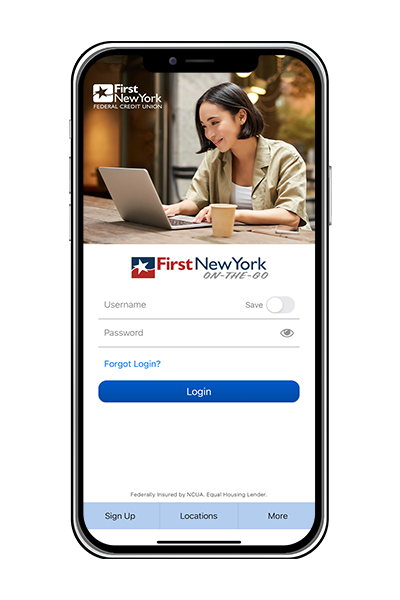





First New York On-the-Go Demos
Mobile Web
Access your First New York account from your mobile device at m.firstnewyork.org and view account information, transfer funds, pay a bill or even locate an ATM near you. You will get all the key features of First OnLine – but optimized to your mobile phone. Mobile web banking gives you the ultimate on-the-go access to your finances.
With First New York Mobile Web Banking you can:
- Check your balance whenever you want
- Pay bills anytime, anywhere
- Transfer funds safely
- Receive account alerts via e-mail and text
- View account history
- Locate an ATM near your current location
- Find First New York branch locations
For more information, view our Mobile Web Banking Demo
Text Message Banking
When you send a text message to 454545, you'll be connected you to your account information, quickly, securely, at any time. The short code messaging exchange allows you to stay on top of your financial matters. With Text Banking you can see your checking and savings balances, transfer funds, and view the last five transactions on these accounts.
If your mobile device has text messaging capability, get instant access to your balances. Register your phone for text messaging by logging into your First OnLine account, go to the mobile banking and alerts tab and click the activate button to follow the quick three-step process to register for this free* service.
Here is a list of helpful text commands:
| Bal | Primary account balance |
| Bal all | All account balances |
| Last | Last 5 transactions on primary account |
| Trans | Transfer funds to primary account |
| Bal chk | Account balance of checking account |
| Bal sav | Account balance of savings account |
| Help | Receive a full list of short codes |
| Stop | Deactivate text message banking service |
View the Text Message Banking Demo
*First New York Federal Credit Union does not charge a fee for the use of our Mobile Banking service. Depending on your service data plan, you may incur web charges or text messaging fees. Check with your mobile service carrier to get more information.Introducing the Apps for iPhone and Android Keep track of your finances – from your iPhone, iPad, iPod Touch or Android. Our free, downloadable app gives you immediate and secure access whenever, wherever you need.
Track Your Accounts
See your entire financial picture at a glance. Tap any account balance for details on your latest transaction.
Transfer Funds
It’s easy to transfer funds between eligible accounts. Just select your “Transfers from” and “Transfers to” accounts, type the amount and tap the “Transfer money now” button.
Locate a Branch/ATM
It’s easy to find our closest branch or ATM location. Just search by city or zip code to get an address, pinpoint the location on a map, or even get step-by-step directions.
|
iPhone App |
Android App |
|
![]() |
![]() |
|
|
View the iPhone Demo |
View the Android Demo |
How secure is it?
| 128 bit encryption | Neither your wireless carrier or anyone else is able to decipher information about your account sent via your phone. |
| Secure login information is not stored on your device | No need to worry if your phone is lost or stolen. |
| Automatic inactivity logout | the application will time out automatically, requiring you to log back into the system so your account does not remain open if you forget to log out. |
| Internet Banking Safety | The same internet safety protocols as the security features on-line are in place on your wireless device. |
| Account masking | Only the last four digits of your account are displayed on your mobile device, so no one can ever see your full account number. |